One recording in.
A week of scheduled posts out.
ClipForge is the control room where a publishing operation runs its rundown. It scrubs your source recording, marks the Moments worth posting, cuts each to the format its destination expects, and runs the schedule across five networks — then tells you what actually landed.
A 7-day trial covers 3 source uploads, no card. Pricing is a flat monthly plan — never per minute.
Illustrative rundown — placeholder values, not customer data
Approved by every network it publishes to.
Nothing here drives a browser or scrapes a session. Each network granted ClipForge its own publishing permission through that network's review — the slow, unglamorous part — which is why a post arrives natively on the account instead of as a link someone has to open.
Each link is a permission the network granted, not an integration scraped together
YouTube
Shorts and long-form
youtube.upload
Instagram
Reels
instagram_content_publish
TikTok
Vertical feed
video.publish
Facebook
Feed and Reels
pages_manage_posts
LinkedIn
Native video
w_member_social
Those are the actual permissions each platform issued, the same ones disclosed in the Privacy Policy. Meta's review took roughly a month on its own.
It starts with the whole recording.
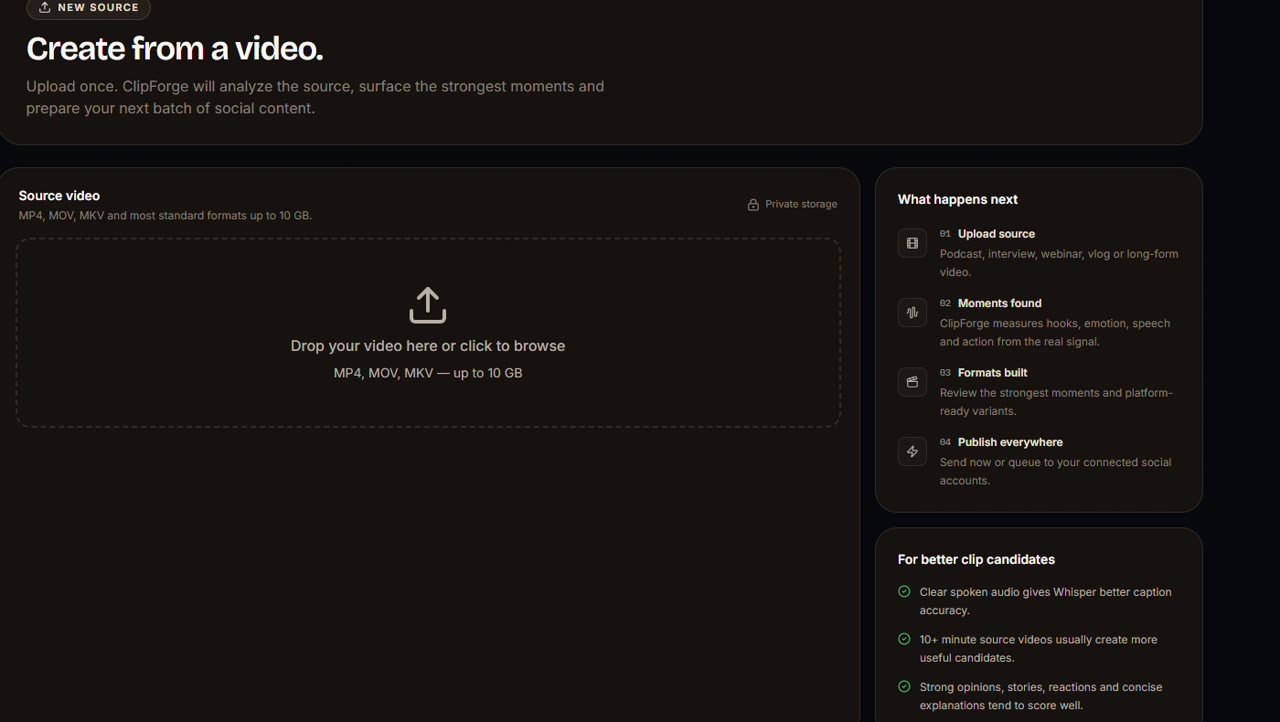
Upload a podcast, a webinar, a long interview. ClipForge takes the entire thing as its source feed — the tape everything downstream is cut from. Scroll, and the playhead moves with you.
The moments worth posting lift out.
ClipForge scrubs all of it and marks what stands up on its own, scoring each on hook, emotion, speech and scene energy. The score is a measurement, not a verdict — you still choose.
One Moment. Every shape it needs.
A Moment is not one file posted five times. The frame itself is recut to the ratio each destination actually wants, captions and hooks already prepared.
YouTube
16:9 Shorts and long-form
Instagram
9:16 Reels
TikTok
9:16 Vertical feed
Facebook
1:1 Feed and Reels
LinkedIn
16:9 Native video
Each surface is the shape that destination actually accepts
A rundown, not a posting chore.
Each Moment takes a slot: a time, a destination, a status. You review the run of the day in one pass instead of posting one clip at a time and hoping you remembered the rest.
- 11:20YouTube16:9Queued
- 13:05Instagram9:16Queued
- 16:40TikTok9:16Queued
Going live is the one thing you cannot miss.
Slots publish themselves to every connected account. Red appears in exactly one situation in this product — something is on air right now — which is why it still means something.
What landed decides what goes out next.
Views, likes, comments and shares come back per post and per variant, and feed the next slot. Tomorrow's rundown becomes a decision rather than a guess.
- Like
- Comment
- Share
- Rising reach
The four signals that come back per post. Counts are intentionally not shown here — the real ones live in Measure, against your own posts.
YouTube — the 12:44 Moment
The handoffs are where the time goes.
Every row is a job that currently lives in a different tab, with an export and a re-upload between each one. ClipForge runs them as a single pass down one line.
Finding the moment worth cutting
instead of: Scrubbing the full recording by hand
Cutting and reframing per platform
instead of: A separate export from an editor for each ratio
Captions, hooks and hashtags
instead of: A third tool, then copy-paste
Scheduling across five networks
instead of: A social scheduler that never saw the video
Knowing which cut performed
instead of: Five native analytics tabs and a spreadsheet
Four things you do daily.
Team, channels, billing and settings sit in a persistent layer above the daily loop — configured occasionally, never competing for attention with the work.
Create
Upload a source and review Moments as they are found.
Library
Every Moment across every source, searchable and filterable.
Publish
The rundown: what is scheduled, what is live, what failed.
Measure
Performance, A/B tests and history, per destination.
Every client is a Channel
Agencies switch channel at the top of the interface and the whole rundown follows — separate sources, separate queue, separate performance. Connected accounts belong to the channel, not to whoever set them up, so staff changes do not cost you access.
Set up your first channel- Owner
- Billing, security and workspace ownership.
- Admin
- Full operational control, short of ownership.
- Manager
- Publishing, scheduling and performance oversight.
- Editor
- Moments and captions — no access to accounts or billing.
Flat monthly pricing. No meter running.
We run our own processing, so we charge for a plan rather than for minutes. Every tier states a real monthly limit — no per-render fees, no credit packs, nothing to top up mid-month.
Pro
For a solo creator running one channel.
$29/month
- 50 source videos per month
- All five destinations
- Scheduling and captions included
Business
Most chosenFor a small team running a content operation.
$79/month
- 500 source videos per month
- 3 team seats with roles
- Best-time-to-post insights
Agency
For an agency running many clients' channels.
$299/month
- Unlimited source videos
- Unlimited seats and connected accounts
- Multi-channel workspaces
Every plan begins with the same 7-day, 3-upload trial. No card required to start, and you can cancel any time.
Before you sign up.
Is there a per-minute or per-render charge?
No. Every plan is a flat monthly price with a stated monthly limit on source videos. There is no per-minute processing fee, no per-render charge, and no credit balance to top up — so nobody on your team is watching a meter while they work.
What do I get before paying?
A 7-day trial with 3 source video uploads and no card required. You run a real recording through the full rundown — Moments, formats, queue, publish — before deciding.
Do I have to hand over my social passwords?
No. You connect accounts over each platform's official authorisation flow, and ClipForge holds an encrypted token scoped to publishing. Team members publish through their own role without ever seeing a credential.
Which destinations can ClipForge publish to?
YouTube, Instagram, TikTok, Facebook and LinkedIn, each in the aspect ratio that destination expects.
Can my team work in it without stepping on each other?
Yes. Owner, Admin, Manager and Editor are real permission levels, not labels — an Editor works on Moments and captions and never sees billing or connected accounts. Agencies get a separate workspace per client channel.
What happens to my source video?
It is stored on our own servers purely to produce your Moments, and it is never viewed, shared or published without an explicit action from you. See the Privacy Policy for the full detail.
Put one recording through the rundown.
Upload something you have already published and see what ClipForge would have pulled out of it. That is the honest test, and the trial is built for it.
Start free — no card